



Podcast Keywords: How to Find and Use Them
Starting a podcast without a content strategy is like building a house without a blueprint. You'll likely end up with something that doesn't work as planned.
Podcast keywords are the words and phrases your ideal listeners type when they search for a show or an episode. They go in your show title and description, your episode titles, and your show notes. You find them by brainstorming your topics, then checking what people actually search for on Google, YouTube and podcast apps.
Some links in this guide are affiliate links, so we may earn a small commission at no cost to you.
We'll cover:
- What podcast keywords are
- Why they matter
- The types of podcast keywords
- Where to put them
- How to find them, step by step
- Free ways to generate keyword ideas
- Paid tools if you want to go deeper
- Mistakes to avoid
- Common questions
What are podcast keywords?
Podcast keywords are the search terms your listeners use when they look for content like yours. "How to start a garden" is a keyword. So is "podcast for first-time managers."
When your titles and descriptions use the same words your listeners use, search engines and podcast apps can match your show to their search. Simply put: what are your listeners typing when they open a search bar?
Why podcast keywords matter
Keyword research might feel like one more task. Here's why it's worth the extra step.
1. You understand your audience better
Keywords show you the topics and questions your audience cares about. That takes the guesswork out of planning episodes.
2. More people can find your show
Search is one of the main ways people find shows. In Sounds Profitable's Podcast Discovery Playbook, 26% of listeners said they look for their next show through internet search and 55% through YouTube (reported by Net Influencer). Good keywords help in both places.
Podcast apps work the same way. Apple says its search results depend on metadata, including your show name and episode titles, plus how popular a show is and how people respond to it in search (Apple Podcasts for Creators). Clear, specific titles are the part you control.
3. Your content plan gets easier
Instead of wondering "will anyone want to hear this?", you'll have a list of topics people are already searching for.
Types of podcast keywords
It helps to think about keywords in four groups:
- Show keywords. Your show's name and its main subject.
- Topic keywords. The broad subjects you cover, like "home gardening."
- Episode keywords. The specific question one episode answers, like "how to start tomatoes from seed."
- Name keywords. Guests, brands, books and events you mention. People search for names.
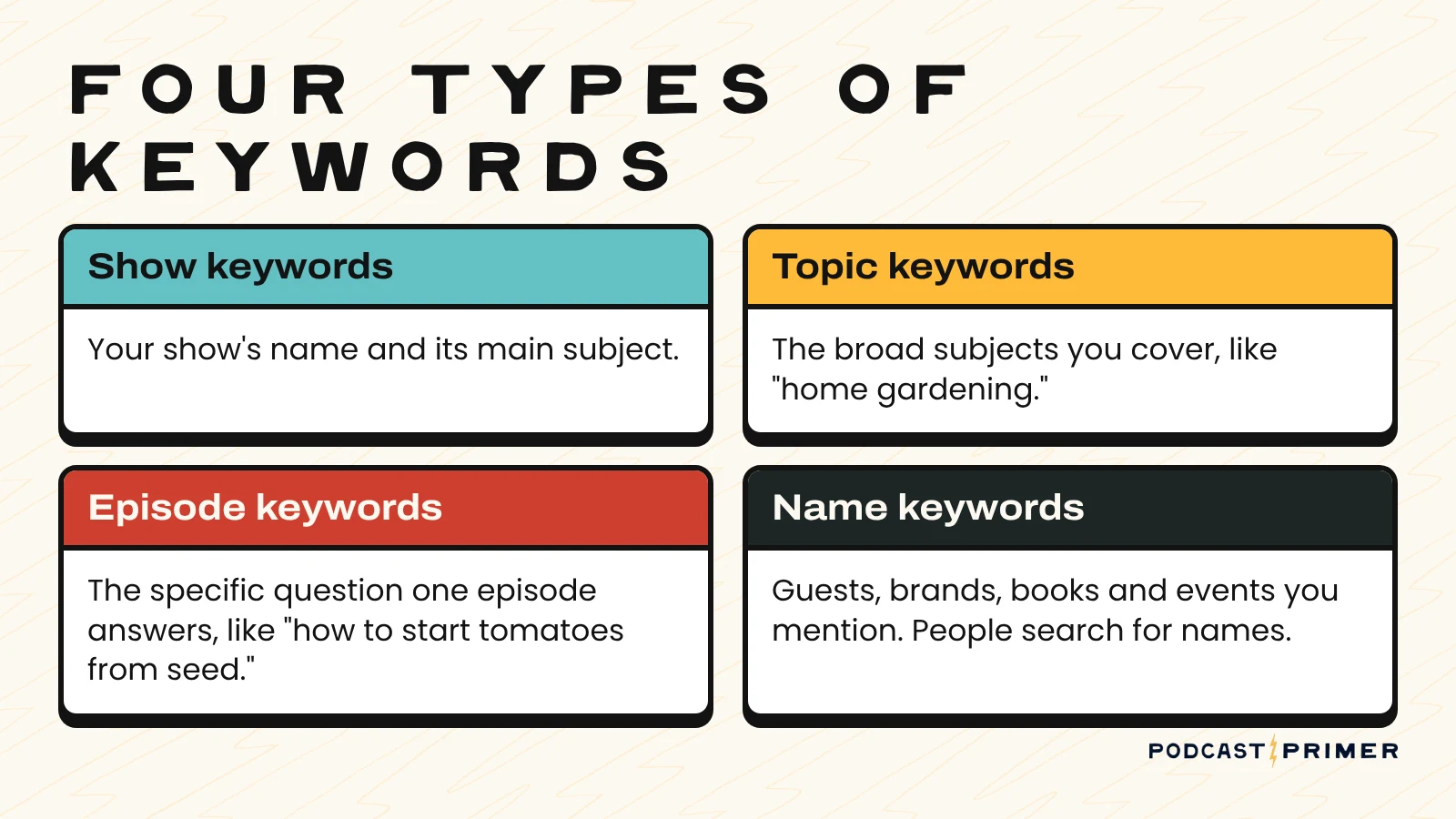
Broad phrases get more searches and more competition. Specific phrases get fewer searches, and the people typing them know what they want. A new show usually does better starting specific.
Where to put your podcast keywords
Keywords only help if listeners and search engines can see them. These are the places that matter most:
- Episode titles. The most important spot. Lead with the main phrase or question, for example "How to Price Your Coaching Services" instead of "Episode 47 with Sarah."
- Episode descriptions and show notes. Use the keyword and a few related phrases in the first sentence or two, written for a person. Our podcast show notes template shows where they fit.
- Show description. Explain who the show is for and what they'll get, using the words they'd search for.
- Show title. Keep it memorable first. A short descriptive subtitle can do the keyword work. Our guide on how to name your podcast covers the tradeoffs.
- YouTube titles and descriptions. If you publish video, the same keyword should carry over.

Reality check: don't stuff keywords. A show title packed with search phrases looks spammy to listeners, and Apple recommends titles that are specific and unique. Write for people first.
How to find podcast keywords: step by step

Step 1: Start with your own brain
Before you open any tool, write down the topics, subtopics and questions your show could cover. Aim for at least 30.
Start with what you think matters before searching online, so you aren't swayed by what's already out there. Later, use research to fill gaps and check your assumptions.
If you struggle to reach 30, don't worry. The tools below will help you get there. If you're still deciding what your show is about, start with our guide on how to choose a podcast topic.
Step 2: Check what people actually search
Type your topics and questions into Google, YouTube and your podcast app. Note the suggested and related searches.
Then find similar podcasts or videos and read the comments. The questions people ask there are some of the best episode ideas you'll find.
Step 3: Weigh demand, competition and intent
For each keyword, look at how many people search for it and how many strong results already exist. Then ask yourself: what is someone hoping to get when they search this?
Pick keywords where the intent matches your show and your goals. A smaller keyword that brings in the right listener beats a huge one that brings in the wrong one.
Step 4: Turn keywords into episodes
Your list should give you 30 or more episode ideas. Start thinking about titles and guests for each one.
Group related keywords so episodes build on each other, and start with the topics your ideal listener would find most appealing.
Step 5: Use them, then check back
Put each episode's main keyword in its title and description. After a few months, check which episodes people find in search and do more of what works.
Free ways to generate podcast keyword ideas
People often search for a "podcast keyword generator." You don't need a special one. These free tools do the job:
- Google autocomplete. Open an incognito window so your history doesn't skew results, type your topic, and note the suggestions.
- Google's "People also ask" and related searches. Scroll the results page for questions people ask next.
- YouTube autocomplete. Start typing your topic in YouTube's search bar. These are phrases people search on the platform where many find their next show.
- Apple Podcasts and Spotify search suggestions. Type your topic in each app and see what it suggests.
- Google Trends. Compare a few phrases and spot seasonal topics or rising interest.
- Google Keyword Planner. Rough search volumes for free, with a Google Ads account.
- AnswerThePublic. Turns a keyword into a map of the questions people ask around it.
Paid tools if you want to go deeper
Ahrefs. An SEO tool with keyword research, competitor analysis and rank tracking. It's built for websites, but it's useful for finding the questions behind your episode topics.
Ausha PSO Control Panel. A podcast search optimization tool from the hosting platform Ausha. It suggests keywords, shows search volume, and tracks where your show ranks for keywords in Apple Podcasts and Spotify. How many keywords you can track depends on your Ausha plan.
You don't need either one to get started. The free tools above are plenty for your first 30 episodes.
Don't forget online communities
Join Facebook groups, Reddit communities and Discord servers focused on your topic. Pay attention to the questions people ask again and again.
Contribute and answer questions too. These communities are good places to get feedback, find guests and, once you've earned trust, tell people about your show.
Plan it on a calendar
Once you have your list, map episodes, release dates, topics and guests on a calendar. Our free Podcast Content Calendar template for Notion does this in one view.
A calendar keeps you consistent, and consistency is what helps you grow and keep an audience.
Reality check: your list doesn't need to be perfect
This list doesn't have to be complete. As you record and release episodes, you'll come up with new ideas, and your audience and guests will suggest more.
The point is to avoid feeling stuck after five episodes. Not every episode needs a keyword, but keywords help your show get found, especially when you're starting out.
Podcast keyword mistakes to avoid
- Stuffing. A title or description packed with phrases reads like spam.
- Copying a competitor's titles. Look for the questions they haven't answered.
- Chasing only the biggest phrases. The specific ones are easier to win and bring the right listener.
- Expecting quick results. Search takes time. Give a new title a few months before you judge it.
- Never checking back. What people search for changes. Revisit your list a few times a year.
FAQ
What are podcast keywords?
Podcast keywords are the words and phrases listeners type into Google, YouTube or a podcast app when they look for a show or an episode. Using them in your titles and descriptions helps your episodes show up for those searches.
Where do podcast keywords go?
Mostly in your episode titles, episode descriptions and show notes. Your show description and a short subtitle can carry your main topic. Keep your show name memorable rather than stuffing it with search terms.
Is there a free podcast keyword generator?
Yes. Google and YouTube autocomplete, the search suggestions in Apple Podcasts and Spotify, Google Trends and Google Keyword Planner are all free and work well as keyword generators.
How do you track podcast keyword rankings?
Search your main keywords in Apple Podcasts and Spotify every month or so and note where your show appears. If you want this automated, tools like Ausha's PSO Control Panel track your rankings for you.
How many keywords should an episode have?
One main phrase is enough. Add two or three related phrases in the description where they read naturally.
Should every episode target a keyword?
No. Interviews, personal updates and community episodes can stand on their own. Use keywords where they fit naturally, and let the rest of your episodes serve the listeners you already have.
What happens next?
Keyword research only matters if you act on it. Pick five keywords from your list and turn them into your next five episode titles.
Then build each episode around a solid outline. Our guide on how to script a podcast walks you through it.
Want templates for the whole process? Download our free podcast workbook and use the planning pages to map your next 30 episodes.
Rather hand this off?
Podcast Primer is made by Holistic Media. We plan, record, edit and publish podcasts for brands, so your team only has to show up and talk.
See how it works →