



Best microphones for podcasting: USB and XLR picks
Some links in this guide are affiliate links, so we may earn a small commission at no cost to you.
Nine out of ten podcasters I work with get the same advice from me: buy a dynamic microphone in your budget range. The Samson Q2U, the Electro-Voice RE320, and the Shure SM7B are the three I usually name first.
The reason is the room. Many podcasters record in a spare bedroom, a closet, an office, or a conference room, and that's OK. A dynamic mic is less sensitive than a condenser, so it picks up less echo and sounds in the room.
So the best microphones for podcasting, for many home and office setups, are dynamic mics: the Samson Q2U for a first show on a budget, the Shure MV7+ for USB now and XLR later, the Shure SM58 or Rode PodMic for a table of guests, and the Electro-Voice RE320, the RE20, or the Shure SM7B for a dedicated XLR setup.
How we checked: We've used every mic on this list. We also checked each mic's regular price on its Sweetwater product page and its specs on the maker's site in November 2026. Prices change and these mics are often on sale, so treat them as a guide.
Quick picks
- Best on a budget: Samson Q2U. USB and XLR, about $100.
- Best overall: Shure MV7+. USB and XLR, about $299.
- Best for in-person shows on a budget: Shure SM58. XLR, about $109.
- Best budget XLR mic for a desk: Rode PodMic. XLR, about $99.
- Best for a first XLR setup: Electro-Voice RE320. XLR, about $315.
- Best step up for a broadcast sound: Electro-Voice RE20. XLR, about $449.
- Best for a treated room: Shure SM7B, about $439, or the SM7dB, about $549, if you don't have a strong preamp.
We'll cover:
- Why a dynamic mic suits a home studio
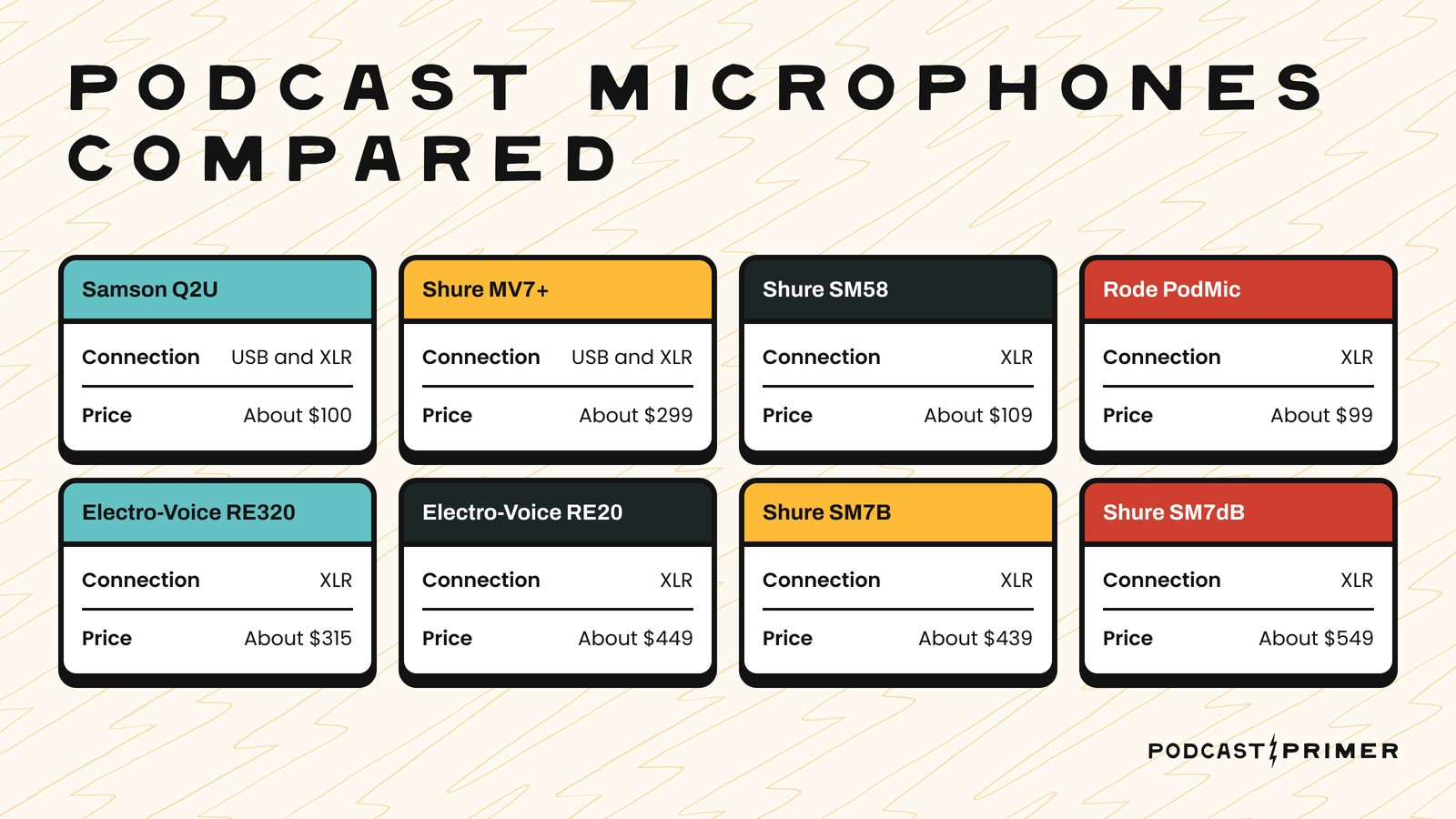
- Podcast microphones compared
- Samson Q2U: best for a first show on a budget
- Shure MV7+: best for USB now and XLR later
- Shure SM58: best for in-person shows on a budget
- Rode PodMic: best budget XLR mic for a desk setup
- Electro-Voice RE320: best for a first XLR setup
- Electro-Voice RE20: best step up for a broadcast sound
- Shure SM7B or SM7dB: best for a treated room
- Why the Blue Yeti isn't on this list
- USB or XLR: which podcast microphone do you need?
- What else you need besides the microphone
- How to set up your podcast microphone
- What microphone should your guests use?
- When a new microphone is the wrong move
- Which podcast microphone should you choose?
- Podcast microphone buying checklist
- Podcast microphone FAQ
- Your next step
Why a dynamic mic suits a home studio
A dynamic microphone suits a home studio because it picks up less echo and background noise than a condenser. You speak into the front of it from a few inches away, and the mic rejects sound from the sides and back.
Condenser mics are typically more sensitive. That's why they're commonly used in professional studios, and it's also why they pick up the hum from your refrigerator, the HVAC, and the echo off a bare wall. If you choose a condenser for podcasting, we strongly recommend a treated room.
Try a quick test before you buy anything. Stand where you'll record and clap once. If you hear an echo, a condenser will hear it too. Rooms with carpet, curtains, a bed, or a couch absorb a lot of it, and a simple rug can go a long way.
Each mic in this guide uses a cardioid pickup pattern. A cardioid mic picks up what's in front of it and rejects most of what's behind it, which is what you want when each person has their own mic.
Podcast microphones compared
The mics below cover a first show, a growing show, an in-person table, and a dedicated studio.
Samson Q2U: best for a first show on a budget
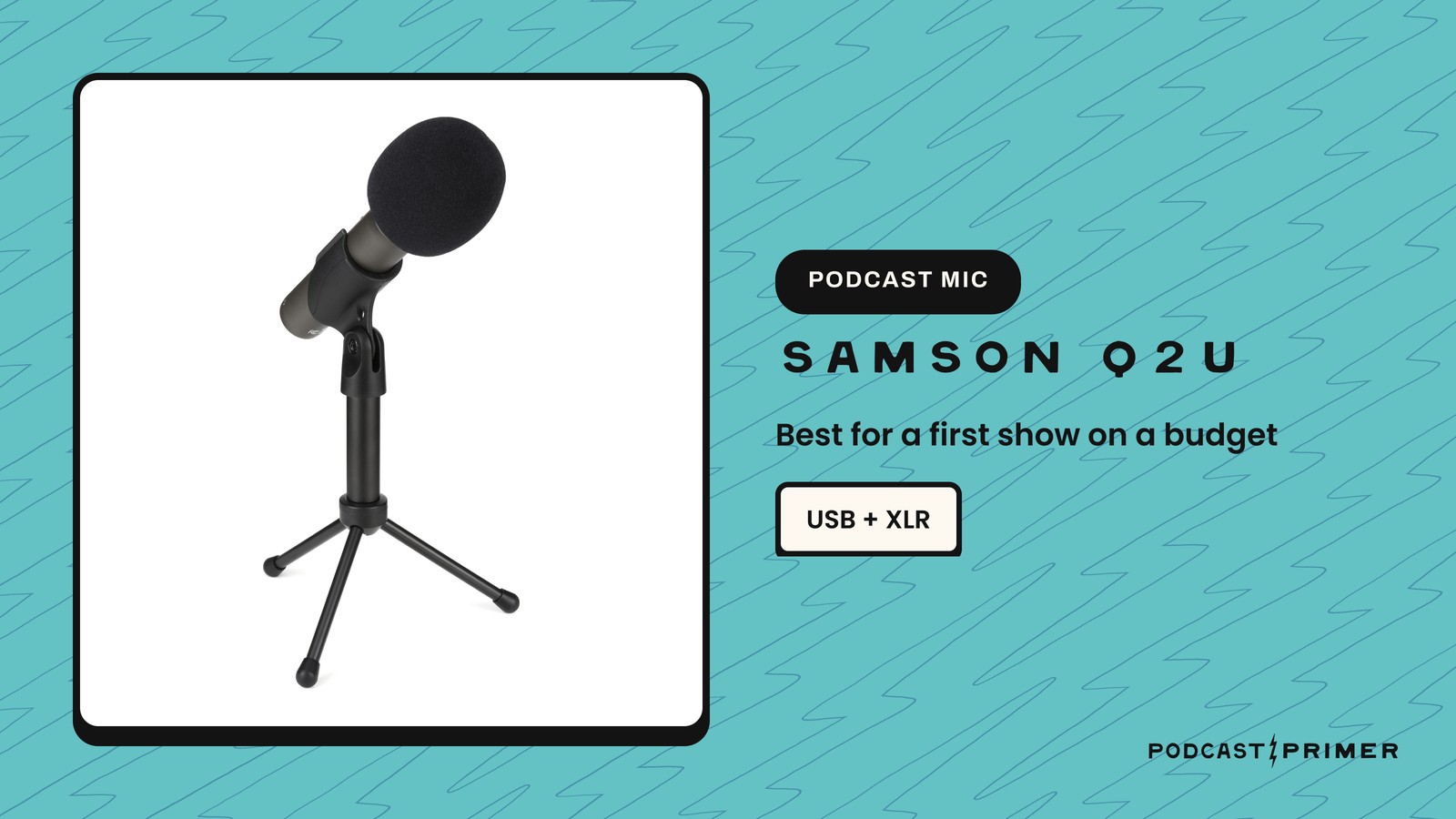
The Samson Q2U is the mic to buy if you want a dynamic mic for the least money and might add an interface or recorder later. It has both USB and XLR outputs, so it plugs straight into a laptop today and into an interface or recorder later.
Price: About $99.99 at Sweetwater at the time of writing, sold as a pack with a small desk stand and cables.
- Good for: Solo shows, remote interviews, and guests who need a mic.
- Wrong for: A desk setup with nothing to raise it. The stand in the box is small, so you may need to set it on a stack of books to get it close to your mouth.
- Worth knowing: It has a headphone jack, so you can hear yourself while you record.
Our take: For the price, the Q2U is a durable, reliable mic. If you're just getting started, it's the one we'd point you to, and it should serve you for years as your show grows. Pair it with a boom arm so it sits close to your mouth.
Shure MV7+: best for USB now and XLR later
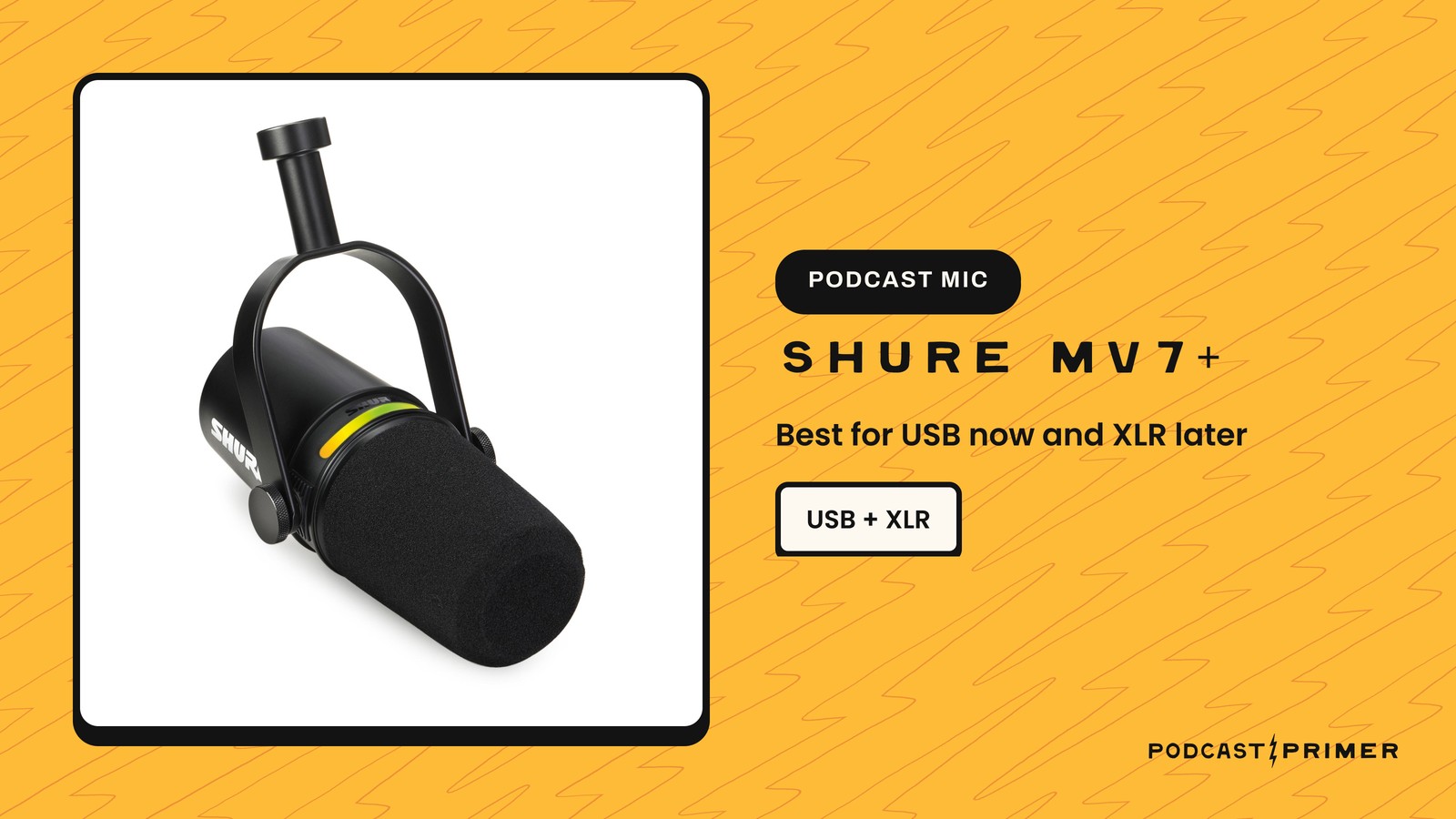
The Shure MV7+ is the pick if you want one microphone that grows with your show. It has USB-C and XLR outputs, so you can record into a laptop now and move to an interface later without buying another mic.
Price: About $299 at Sweetwater at the time of writing. It's often on sale.
- Good for: Solo hosts and remote shows who want a polished voice without an interface.
- Wrong for: A tight budget. The Q2U does the same two-output job for well under half the price.
- Its XLR-only sibling: The Shure MV7X costs about $199 at Sweetwater. In our mid-budget in-person kit, we pair the MV7X with a multi-input recorder such as the Zoom H6studio, which has four mic inputs.
Our take: If you record remotely often and want to look and sound your best on camera, the MV7+ is our pick. It mounts straight onto a boom arm or stand, so you don't need a mic clip. If your budget is tight, start with the Q2U. You should be fine.
Shure SM58: best for in-person shows on a budget
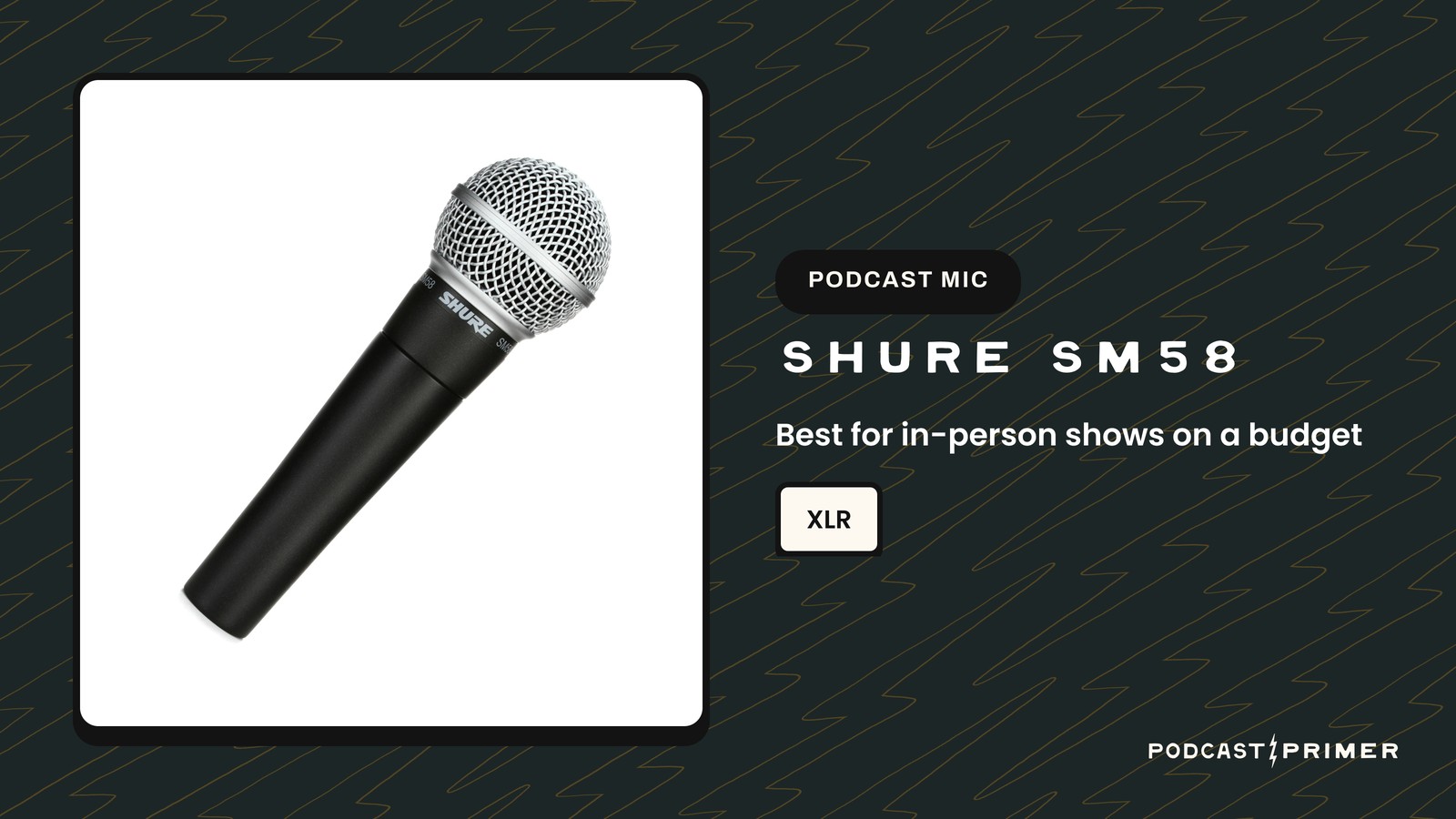
The Shure SM58 is the mic for a table of people on a small budget. It's a handheld XLR mic built for live vocals, so it's made to be handled.
Price: About $109 at Sweetwater at the time of writing. It's often on sale.
- Good for: Two to four people recording in the same room, each on their own mic.
- Wrong for: A laptop-only setup. The SM58 needs an XLR input on an interface or recorder.
- How we use it: In our low-budget in-person kit, each person gets an SM58 on a boom stand, plugged into a Zoom F3 recorder. It has two mic inputs and records in 32-bit float, so you don't have to set gain levels.
Our take: The SM58 is one of the most famous stage vocal mics for a reason. It's durable, and it mostly picks up what's right in front of it, even in a loud room. That's what you want when several people share a table, and on a small budget it's hard to beat.
Rode PodMic: best budget XLR mic for a desk setup
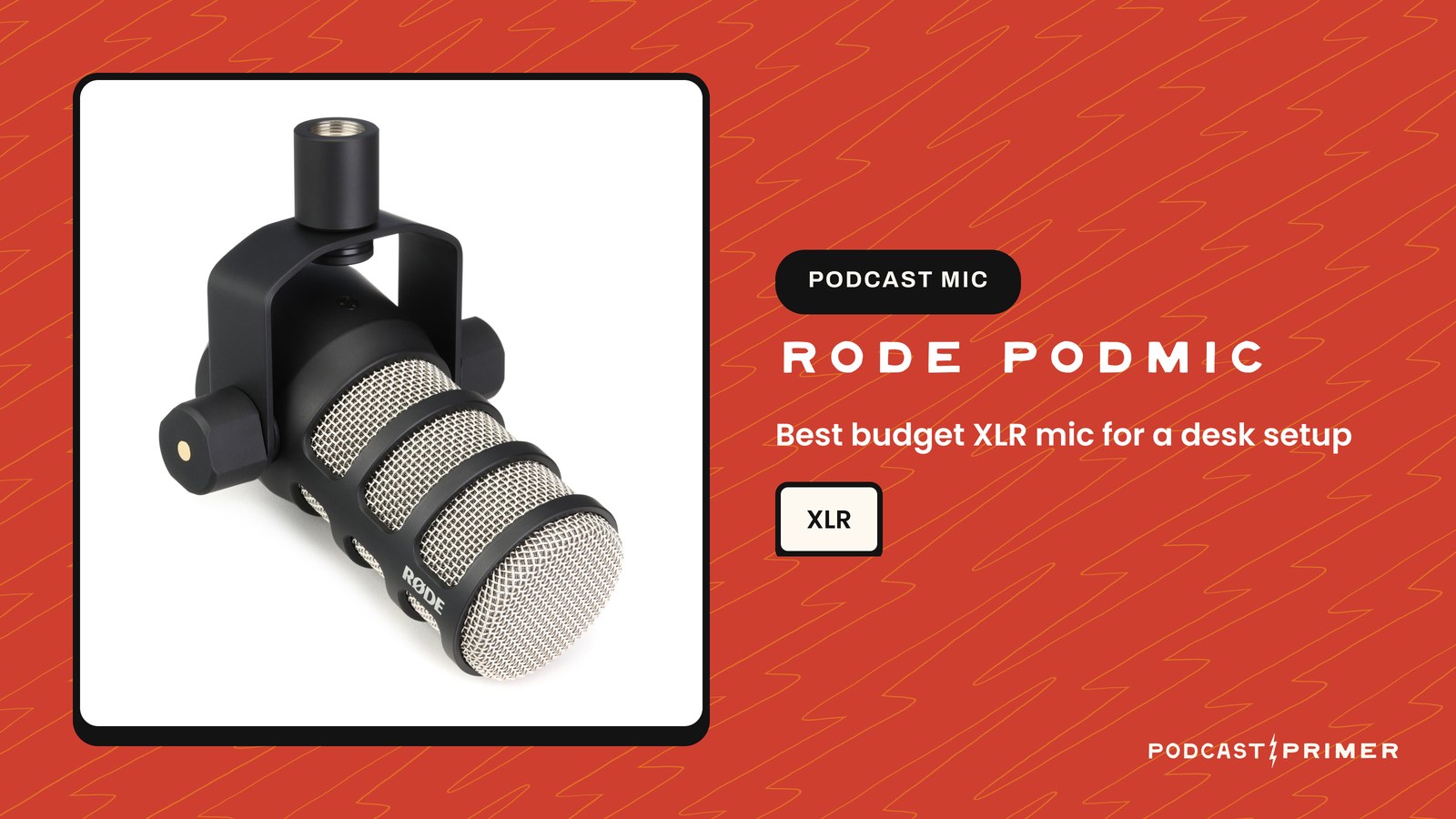
The Rode PodMic is the mic to buy if you want a broadcast-style XLR mic at a budget price. It's a compact dynamic mic made for speech, with a pop filter built in and a swing mount that attaches straight to a boom arm.
Price: About $99 at Sweetwater at the time of writing.
- Good for: A desk or studio setup with an interface or mixer, and co-hosts who each need a mic.
- Wrong for: A laptop-only setup. The PodMic is XLR only, so it needs an interface or recorder.
- Its USB sibling: The Rode PodMic USB adds a USB-C output next to the XLR, for about $209 at Sweetwater.
Our take: The PodMic sounds good, and it's small and easy to position. We prefer the Shure and Electro-Voice options, but at about $99 it's a lot of mic for the money. It tends to sound better through a RodeCaster with the built-in PodMic profile.
Electro-Voice RE320: best for a first XLR setup

The Electro-Voice RE320 is our pick for a first XLR mic with a broadcast-style sound. It's a large dynamic mic designed for voice, with a switch on the back for a second, kick drum setting you can ignore.
Price: About $315 at Sweetwater at the time of writing.
- Good for: Hosts who want a studio sound and already have, or plan to buy, an interface or a mixer.
- Wrong for: A USB-only setup. Like the SM58, it needs an XLR input.
- How we use it: In our higher-budget in-person kit, the RE320 plugs straight into a RodeCaster Duo, with no gain booster.
Our take: The RE320 is the mic we'd recommend to most hosts starting with XLR. It gives you a warm, broadcast-style sound and the look to match, for about $130 less than the RE20.
Electro-Voice RE20: best step up for a broadcast sound

The Electro-Voice RE20 is the step up from the RE320. It has been a radio and voice-over standard since 1968, and it's built to keep your voice sounding consistent when you move closer to the mic or farther from it.
Price: About $449 at Sweetwater at the time of writing.
- Good for: A dedicated studio and a host who wants the classic broadcast sound.
- Wrong for: A first setup or a tight budget. The RE320 gets you close for about $130 less.
- Worth knowing: It's a heavy mic, so it needs a sturdy boom arm. It's also a low-output mic, so pair it with an interface or mixer with plenty of clean gain.
Our take: The RE20 is the classic Electro-Voice broadcast mic. It sounds great and has a look to match. We think it's as good as or better than the Shure SM7B, and it really comes down to preference. To our ears the RE20 gives you a fuller, classic radio sound, while the SM7B is a bit warmer and smoother.
Shure SM7B or SM7dB: best for a treated room
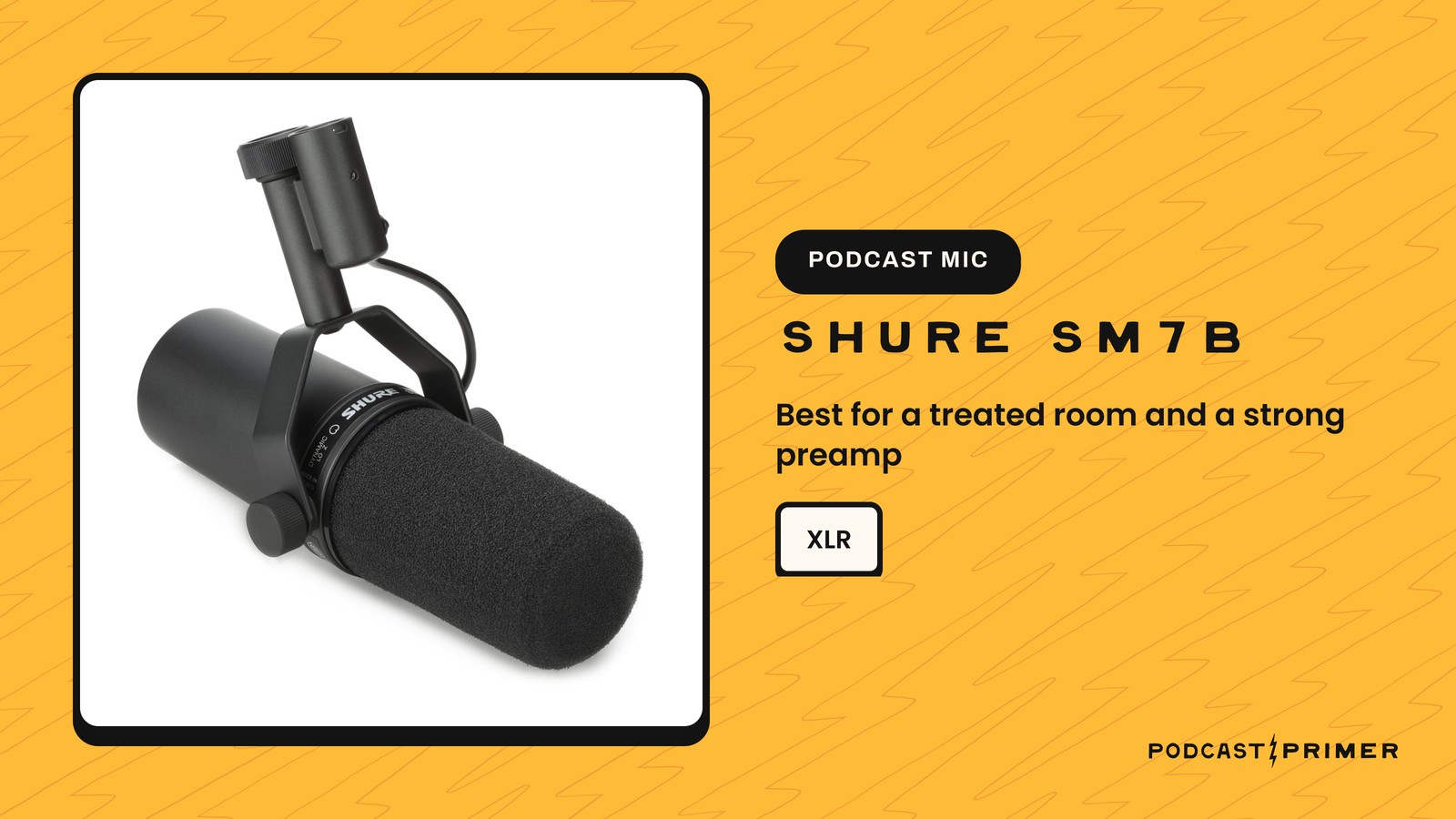
The Shure SM7B is the upgrade for a dedicated room and a preamp with plenty of gain. It rewards a quiet, treated space.
Price: About $439 for the SM7B at Sweetwater and about $549 for the SM7dB at the time of writing. Both are often on sale.
- Good for: A permanent studio, a host who records several times a week, and a setup with a strong interface or mixer.
- Wrong for: A first show. The SM7B is a low-output mic, so it needs more clean gain than many budget interfaces give.
- How we use it: We add a Cloudlifter CL-1 between the SM7B and the recorder. It gives low-gain mics like the SM7B extra clean gain, which improves the overall sound.
SM7B or SM7dB: which one should you buy?
The SM7dB is the same mic with a preamp built in. Buy the SM7dB if your interface or recorder doesn't have much clean gain, or if you'd rather not add a Cloudlifter. Its built-in preamp runs on 48V phantom power from your interface.
Buy the SM7B if you already have a strong preamp or a Cloudlifter. An SM7B plus a Cloudlifter costs about the same as an SM7dB, so choose by how many boxes you want on your desk.
Our take: The SM7B is a legend for a reason. The original SM7 recorded most of Michael Jackson's vocals on Thriller, and today the SM7B is the mic on The Joe Rogan Experience. It's a balanced mic that sounds good on most voices, which is why it's one of the three we name first. It needs a lot of clean gain, so we run ours through a Cloudlifter. If you'd rather skip the extra box, buy the SM7dB. If you're recording a first show in a spare bedroom, you don't need it yet. The Q2U or RE320 will serve you better.
Why the Blue Yeti isn't on this list
The Blue Yeti is one of the most popular USB mics, and we don't recommend it for most podcasters. It's a large-diaphragm condenser, so it picks up more of the room: echo, HVAC, and keyboard noise. If you use a Blue Yeti, record in an acoustically treated room.
It's also easy to use wrong. You speak into the side of a Yeti, and many people talk into the top. It has several pickup patterns too, and the wrong one records the whole room.
If you already own one, you should be fine to start with it. Set it to the cardioid pattern, speak into the side, and get close. If you're buying new, a dynamic mic like the Q2U costs less and is more forgiving.
USB or XLR: which podcast microphone do you need?
Choose USB if you record solo or remotely on a laptop and want a simple setup. Choose XLR if you record with others in the same room, or plan to.
A USB mic has a built-in preamp and converter. It sends a digital signal straight to your computer, where you can record with Riverside, Zoom, Audacity, or GarageBand.
An XLR mic sends an analog signal through a mic cable. An interface, mixer, or handheld recorder boosts the signal with a preamp and converts it to digital. That adds another piece of gear, but lets you connect two, four, or more mics and record each person on a separate track.
Give each person their own mic. A single mic in the middle of the table tends to pick up more of the room than the people, and you can't adjust one voice without affecting the others.
If you're unsure, a hybrid mic like the Q2U or MV7+ lets you start with USB and switch to XLR later.
What else you need besides the microphone
A microphone needs a few essentials: headphones, a stand, a cable, a pop filter or windscreen, and, for XLR, an interface or recorder.
- Headphones: Use closed-back headphones rather than speakers, which can bleed sound into the mic. The Audio-Technica ATH-M20x is a solid budget pair; the Shure SRH440 and Beyerdynamic DT770 Pro are step-up options.
- A stand or boom arm: A desktop boom stand brings the mic close to your mouth without needing a stack of books. The Rode PSA1 is the clamp-on arm we use in higher-budget kits.
- A pop filter or windscreen: A pop filter or a windscreen helps keep plosive bursts from hitting and overloading the microphone capsule.
- A mic cable: An XLR mic needs an XLR cable. A USB mic comes with a cable, though you may need an adapter if your laptop has only USB-C ports.
- An interface or recorder: The Zoom F3 has two mic inputs and records in 32-bit float, while the Zoom H6studio has four. The RodeCaster Duo and RodeCaster Pro combine an interface, recorder, and mixer.
- A gain booster, if needed: A Cloudlifter CL-1 is a nice-to-have that provides extra clean gain for low-output mics like the SM7B.
What you can skip for now
You don't need a shock mount, acoustic foam panels, or a gain booster to start. A rug, curtains, or a couch will do more for your sound than foam on one wall.
Here are three starter kits from our own equipment list:
- Solo or remote, low budget: Samson Q2U, Audio-Technica ATH-M20x headphones, and a desktop stand.
- In person, low budget: One Shure SM58 per person, a Zoom F3, mic cables, boom stands, and a microSD card.
- In person, higher budget: One Electro-Voice RE320 per person, Beyerdynamic DT770 Pro headphones, a RodeCaster Duo, mic cables, boom stands, and windscreens.
How to set up your podcast microphone
A good mic set up badly still sounds bad. Four things do most of the work.
- Get close. We recommend about a fist's distance between your mouth and the mic. Shure recommends two to three inches for the SM7B. Keep the proximity effect in mind: the closer you get, the deeper and fuller your voice sounds. Back away and your voice gets thinner, and the mic picks up more of the room. The RE20 and RE320 are built to reduce this effect, so they're more forgiving if you move. Pick a distance and stay there.
- Aim it at your mouth. Speak into the front of the mic. Angle it slightly to one side of your mouth to soften popping sounds and plosives from bursts of air.
- Set your level. Talk at your normal volume and raise the gain until your loudest moments peak between -12 dB and -6 dB on the meter. Aim for about -12 dB, which leaves room for a laugh or a loud word. If the meter hits red, turn it down.
- Wear headphones. You'll hear a problem while you can still fix it.
Record 30 seconds and listen back before every session.
What microphone should your guests use?
For remote guests, we recommend the Samson Q2U. It's affordable, connects directly to a laptop, and comes with a small stand.
Guests can use any headphones or earbuds they already own. Ask them to record in a quiet room with soft furnishings, away from busy streets, refrigerators, or HVAC systems. Have them try the clap test before the call. You can share these tips in the confirmation email from our guest outreach email templates.
If your podcast is for a business and your guests are customers or partners, mailing them a Q2U is a modest expense compared with the value of the episode.
When a new microphone is the wrong move
A new microphone is the wrong move when the room, the distance to the mic, or the show itself is the real problem.
My recording professors at MTSU had a saying I still think about: you can polish a bad recording as much as you want, and it will still sound bad. That's why recording quality matters. But a better mic in an echoey kitchen is still a recording of an echoey kitchen.
Fix these first, in this order:
- Your show. If you haven't settled your podcast format or recorded an episode yet, record a few on what you already own. Gear is the easiest part of starting a podcast, so it's the part people do first.
- Your room. Do the clap test. Add a rug, curtains, or a couch before you add a mic.
- Your distance. Get the mic close to your mouth and keep it there. A small stand on a stack of books is a valid fix.
You don't need the perfect mic to start. A dynamic mic around $100 in a quiet room will usually sound better than a $400 mic in a kitchen. You should be fine using what you have unless you want to upgrade.
Which podcast microphone should you choose?
Find your situation and start there.
- Solo or remote show, small budget: Start with the Samson Q2U. It plugs into a laptop over USB and has XLR for later. Watch out for the small stand, and add a boom arm.
- Solo or remote show, on camera: Start with the Shure MV7+. It has USB and XLR, and it looks good on video. Watch out for the price. The Q2U covers the basics for about a third of it.
- Two or more people in a room, small budget: Start with the Shure SM58 or Rode PodMic. Each person gets a dynamic XLR mic at about $100 each. You need an interface or recorder with an input for every mic.
- First XLR setup with a broadcast sound: Start with the Electro-Voice RE320. It plugs straight into a mixer with no gain booster. It's XLR only.
- Dedicated studio: Start with the Electro-Voice RE20 or Shure SM7B, the two classic broadcast mics. Both need plenty of clean gain. Choose the SM7dB if your interface is weak.
Podcast microphone buying checklist
Copy this list and work through it before you buy.
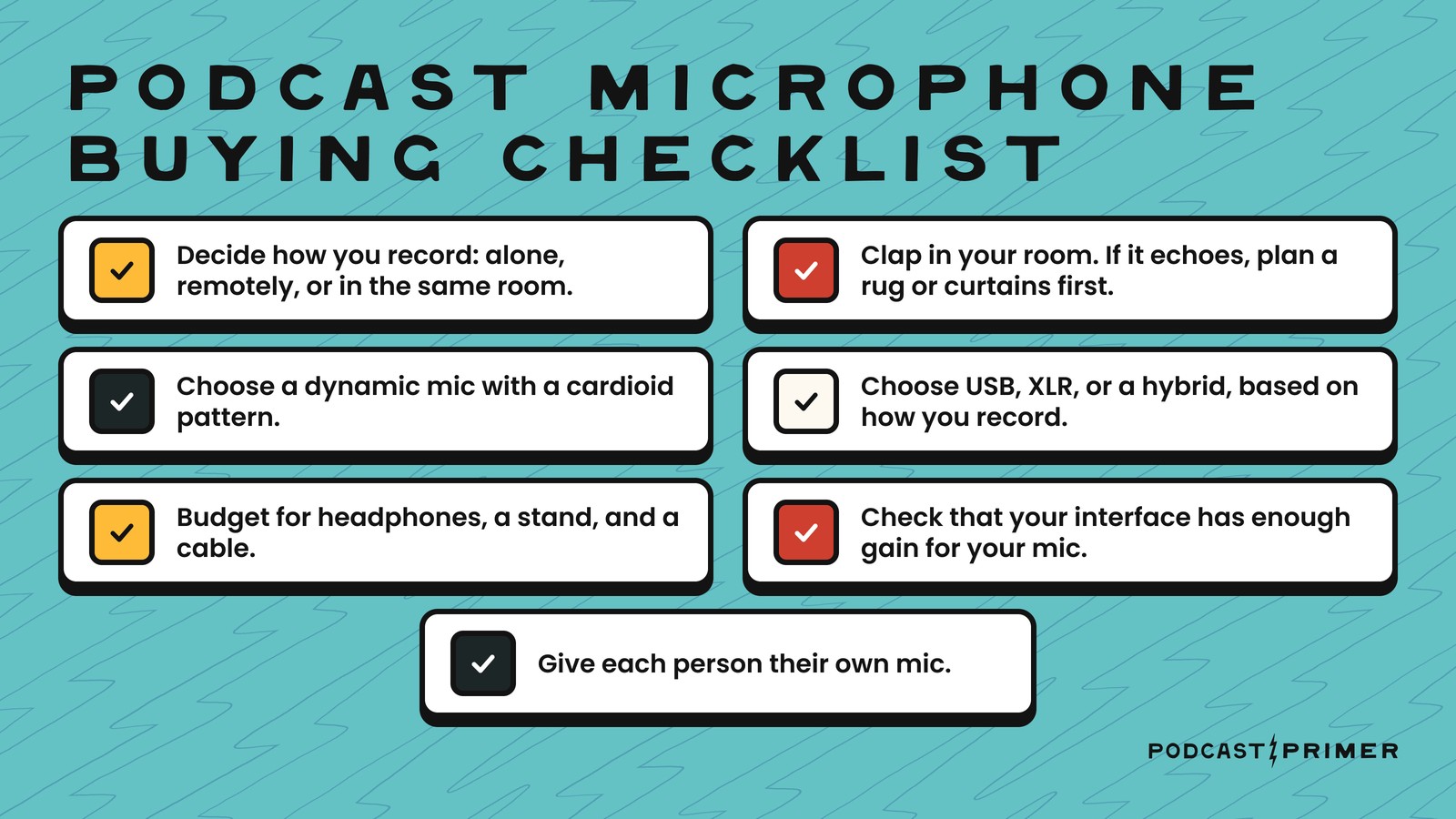
- Decide how you record: alone, remotely, or in the same room.
- Clap in your room. If it echoes, plan a rug or curtains first.
- Choose a dynamic mic with a cardioid pattern.
- Choose USB, XLR, or a hybrid, based on how you record.
- Budget for headphones, a stand, and a cable.
- Check that your interface has enough gain for your mic.
- Give each person their own mic.
Podcast microphone FAQ
What is the best microphone for podcasting?
For most people starting out, it's a dynamic mic with USB and XLR outputs. The Samson Q2U is our budget pick, and the Shure MV7+ is our pick if you can spend more. There is no right or wrong mic. It depends on your room, your budget, and how many people you record.
What mics do most podcasters use?
The mics we see most often are the Shure SM7B, the Shure MV7, the Samson Q2U, and the Rode PodMic. Each one is a dynamic mic, for the reason this guide opens with.
What mic does Joe Rogan use?
The Joe Rogan Experience uses the Shure SM7B for the host and guests. It suits a dedicated studio with strong preamps. You don't need one to start.
What is the 3 to 1 rule for microphones?
When you record more than one person in a room, place each mic at least three times as far from the next mic as it is from the person using it. If you're four inches from your mic, the next mic should be at least a foot away. That keeps each voice out of the other person's mic.
What is the best podcast microphone for a business?
Pick mics your team can use without an engineer. For a host who records remotely on camera, the Shure MV7+ is our pick. For remote guests such as customers or partners, mail them a Samson Q2U. For a show recorded in your office, give each person a dynamic XLR mic like the SM58 or RE320 and plug them into one recorder or mixer.
Do I need a pop filter?
You need something between your mouth and the mic capsule, and many mics already have it. The Rode PodMic has a pop filter built in, and the Shure SM7B ships with a foam windscreen. If your mic has neither, a foam windscreen is inexpensive and does the job.
Does the Shure SM7dB need phantom power?
Yes, to run its built-in preamp. Turn on 48V phantom power on your interface or mixer. If you switch the preamp to bypass, the SM7dB works like a regular SM7B and doesn't need phantom power.
Is a USB microphone good enough for a podcast?
Yes. A good USB dynamic mic such as the Q2U or the MV7+ can sound close to an XLR setup in a quiet room. The limit is the number of people: recording two USB mics on one computer gets complicated, so in-person shows with several people do better with XLR.
Do I need a Cloudlifter?
Only if your mic needs more gain than your interface or recorder gives. In our kits, the Cloudlifter goes with the SM7B. The RE320, the SM58, and the hybrid mics in this guide don't use one.
Can I record a podcast with my laptop or phone microphone?
You can for a test episode. A laptop or phone mic captures sound the same way a studio mic does, but it sits far from your mouth, so it records more room and less voice. A $100 dynamic mic close to your mouth is the bigger step up.
How many microphones do I need for two hosts?
You need two, one for each host, each recorded on its own track. That way you can turn one person up or clean up one person's cough without touching the other voice.
Your next step
Do the clap test in the room you'll record in today. If it passes, choose a mic from the list above. If it echoes, fix the room first.
Once your mic is set, the next skill is how you sound on it. Our guide to finding your podcast voice covers delivery, pace, and energy.
Ready to buy? Start with the Samson Q2U at Sweetwater.
Rather hand this off?
Podcast Primer is made by Holistic Media. We plan, record, edit and publish podcasts for brands, so your team only has to show up and talk.
See how it works →